| Dashboard Location |
TL |
Select the corner of the chart for the dashboard (TL, TR, BL, BR). |
| Bullish Color |
16,185,129 |
Color for bullish trend signals and rings. |
| Bearish Color |
245,159,11 |
Color for bearish trend signals and rings. |
| Range Color |
59,130,246 |
Color for neutral/ranging signals. |
| Signal Calculation Mode |
ClosedBar |
'ClosedBar' (no repaint) or 'CurrentBar' (fastest). |
| Filter: 200 SMA Bias |
false |
If true, only show trends aligned with the 200 SMA. |
| Enable Alerts |
true |
Toggle pop-up alerts on/off. |
| Filter: ADX Threshold |
true |
If true, invalidates signals where ADX is below the gate. |
| ADX Strength Level |
GateModerate |
Sets the difficulty of the ADX filter. |
| M1_FastPeriod |
10 |
M1 Timeframe: Fast MA Period |
| M1_FastType |
EMA |
M1 Timeframe: Fast MA Type (SMA or EMA) |
| M1_SlowPeriod |
30 |
M1 Timeframe: Slow MA Period |
| M1_SlowType |
EMA |
M1 Timeframe: Slow MA Type (SMA or EMA) |
| M1_ADX_Period |
14 |
M1 Timeframe: ADX Period |
| M1_ADX_Moderate |
20 |
M1 Timeframe: ADX "Moderate" Threshold |
| M1_ADX_Strong |
25 |
M1 Timeframe: ADX "Strong" Threshold |
| M1_ADX_VStrong |
35 |
M1 Timeframe: ADX "Very Strong" Threshold |
| M5_FastPeriod |
12 |
M5 Timeframe: Fast MA Period |
| M5_FastType |
EMA |
M5 Timeframe: Fast MA Type |
| M5_SlowPeriod |
34 |
M5 Timeframe: Slow MA Period |
| M5_SlowType |
EMA |
M5 Timeframe: Slow MA Type |
| M5_ADX_Period |
14 |
M5 Timeframe: ADX Period |
| M5_ADX_Moderate |
20 |
M5 Timeframe: ADX "Moderate" Threshold |
| M5_ADX_Strong |
25 |
M5 Timeframe: ADX "Strong" Threshold |
| M5_ADX_VStrong |
35 |
M5 Timeframe: ADX "Very Strong" Threshold |
| M15_FastPeriod |
20 |
M15 Timeframe: Fast MA Period |
| M15_FastType |
EMA |
M15 Timeframe: Fast MA Type |
| M15_SlowPeriod |
50 |
M15 Timeframe: Slow MA Period |
| M15_SlowType |
EMA |
M15 Timeframe: Slow MA Type |
| M15_ADX_Period |
14 |
M15 Timeframe: ADX Period |
| M15_ADX_Moderate |
20 |
M15 Timeframe: ADX "Moderate" Threshold |
| M15_ADX_Strong |
25 |
M15 Timeframe: ADX "Strong" Threshold |
| M15_ADX_VStrong |
35 |
M15 Timeframe: ADX "Very Strong" Threshold |
| M30_FastPeriod |
21 |
M30 Timeframe: Fast MA Period |
| M30_FastType |
EMA |
M30 Timeframe: Fast MA Type |
| M30_SlowPeriod |
55 |
M30 Timeframe: Slow MA Period |
| M30_SlowType |
EMA |
M30 Timeframe: Slow MA Type |
| M30_ADX_Period |
14 |
M30 Timeframe: ADX Period |
| M30_ADX_Moderate |
20 |
M30 Timeframe: ADX "Moderate" Threshold |
| M30_ADX_Strong |
25 |
M30 Timeframe: ADX "Strong" Threshold |
| M30_ADX_VStrong |
35 |
M30 Timeframe: ADX "Very Strong" Threshold |
| H1_FastPeriod |
34 |
H1 Timeframe: Fast MA Period |
| H1_FastType |
EMA |
H1 Timeframe: Fast MA Type |
| H1_SlowPeriod |
89 |
H1 Timeframe: Slow MA Period |
| H1_SlowType |
EMA |
H1 Timeframe: Slow MA Type |
| H1_ADX_Period |
14 |
H1 Timeframe: ADX Period |
| H1_ADX_Moderate |
20 |
H1 Timeframe: ADX "Moderate" Threshold |
| H1_ADX_Strong |
25 |
H1 Timeframe: ADX "Strong" Threshold |
| H1_ADX_VStrong |
35 |
H1 Timeframe: ADX "Very Strong" Threshold |
| H4_FastPeriod |
50 |
H4 Timeframe: Fast MA Period |
| H4_FastType |
EMA |
H4 Timeframe: Fast MA Type |
| H4_SlowPeriod |
100 |
H4 Timeframe: Slow MA Period |
| H4_SlowType |
EMA |
H4 Timeframe: Slow MA Type |
| H4_ADX_Period |
14 |
H4 Timeframe: ADX Period |
| H4_ADX_Moderate |
20 |
H4 Timeframe: ADX "Moderate" Threshold |
| H4_ADX_Strong |
25 |
H4 Timeframe: ADX "Strong" Threshold |
| H4_ADX_VStrong |
35 |
H4 Timeframe: ADX "Very Strong" Threshold |
| D1_FastPeriod |
50 |
D1 Timeframe: Fast MA Period |
| D1_FastType |
SMA |
D1 Timeframe: Fast MA Type |
| D1_SlowPeriod |
200 |
D1 Timeframe: Slow MA Period |
| D1_SlowType |
SMA |
D1 Timeframe: Slow MA Type |
| D1_ADX_Period |
14 |
D1 Timeframe: ADX Period |
| D1_ADX_Moderate |
20 |
D1 Timeframe: ADX "Moderate" Threshold |
| D1_ADX_Strong |
25 |
D1 Timeframe: ADX "Strong" Threshold |
| D1_ADX_VStrong |
35 |
D1 Timeframe: ADX "Very Strong" Threshold |
| W1_FastPeriod |
50 |
W1 Timeframe: Fast MA Period |
| W1_FastType |
SMA |
W1 Timeframe: Fast MA Type |
| W1_SlowPeriod |
200 |
W1 Timeframe: Slow MA Period |
| W1_SlowType |
SMA |
W1 Timeframe: Slow MA Type |
| W1_ADX_Period |
14 |
W1 Timeframe: ADX Period |
| W1_ADX_Moderate |
20 |
W1 Timeframe: ADX "Moderate" Threshold |
| W1_ADX_Strong |
25 |
W1 Timeframe: ADX "Strong" Threshold |
| W1_ADX_VStrong |
35 |
W1 Timeframe: ADX "Very Strong" Threshold |
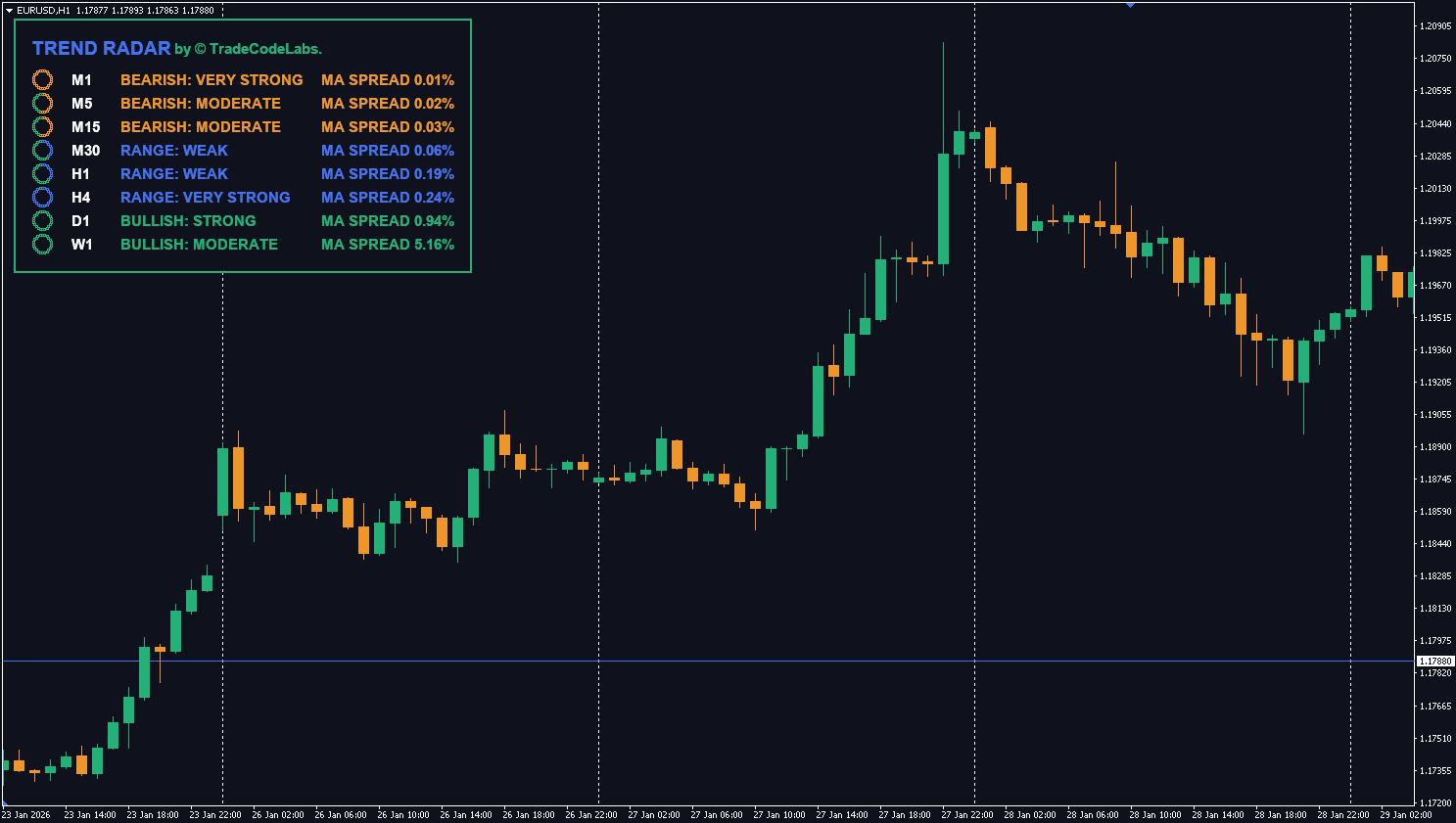
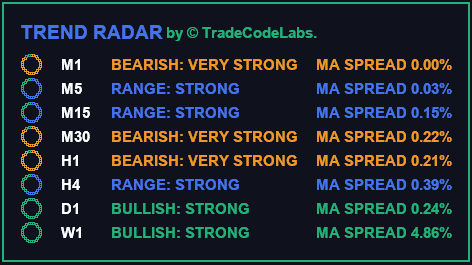
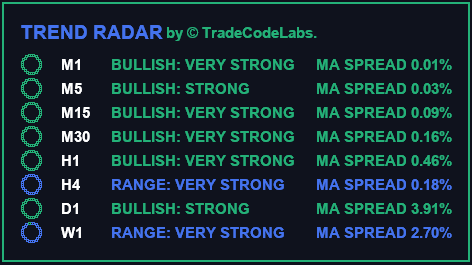
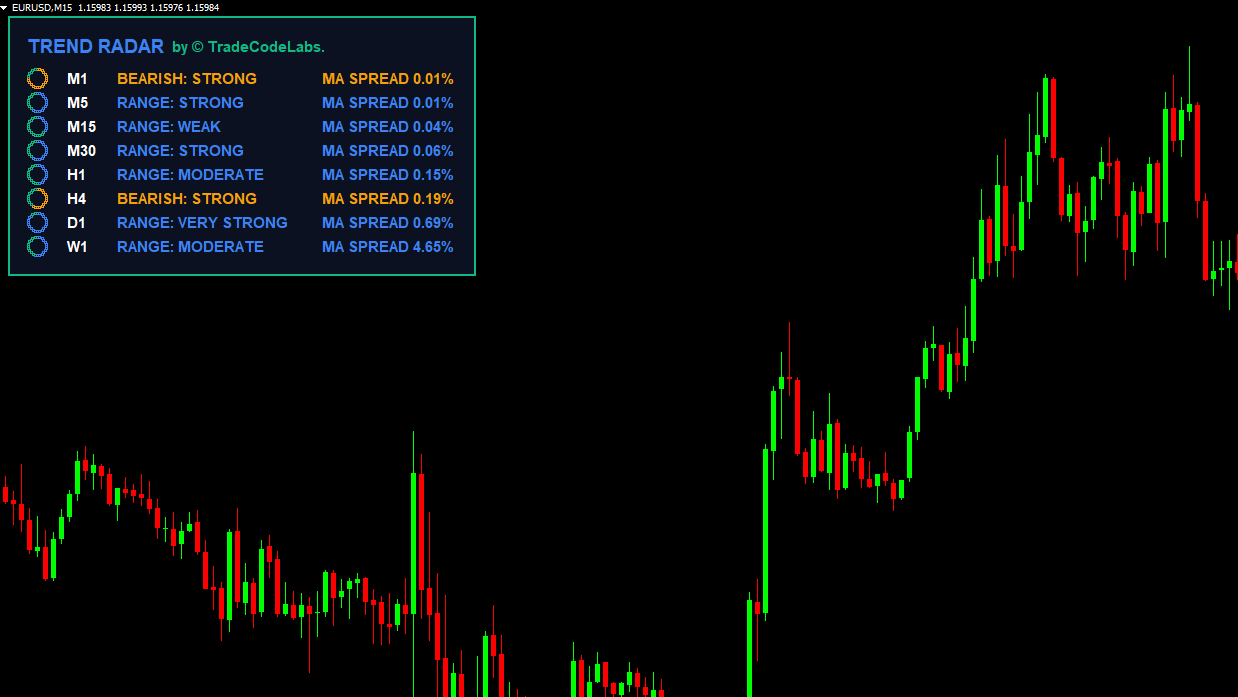
User Reviews (20)
RASHID KHANAM
I pair this with the Power Meter and its honestly the best combo ive used. trend radar tells me which direction, power meter tells me which currency. Simple but effective
goldrunnerFX
Been using this for about 2 weeks on EURUSD H1. The multi-timeframe dashboard saves me so much time, I used to flip through 8 charts manually every morning. Now I just glance at one screen and know exactly which pairs are trending. Highly reccomend.
TCL
TCL TeamReally appreciate the detailed feedback! The multi-timeframe dashboard was one of our most requested features. Glad it’s saving you time on your morning routine.
Grzegorz
Running this on a VPS with 6 charts. Zero lag even with all timeframes scanning. Very well coded.
Nonhlanhla Dlamini
finally an indicator that doesnt repaint! tested it on GBPJPY H4 and the signals held up. the ADX filter is clutch for avoiding choppy markets
traderviet88
Solid tool overall. The dashboard is really well designed and the color coding makes it easy to read at a glance. Only reason for 4 stars is I wish it had push notifications to mobile, the popup alerts only work when MT4 is in focus. Still use it daily though.
Sefton W.
Works as advertised but I find the “Very Strong” trend signals come a bit late on M15. By the time all 8 timeframes align the move is already halfway done tbh. Better suited for H1 and above imo. Dashboard looks great though.
TCL
TCL TeamFair point. The Triple-Lock algorithm is designed for higher timeframes where trend confirmation matters most. On M15 you’re right that waiting for all 8 TFs to align can mean a late entry. We’d recommend using Trend Radar on H1+ for directional bias, then dropping to M15 for entries with a different tool like MA Crossovers.
Prasad
use it every single day on gold. best free trend tool ive found for MT4 period
costantino63
The Triple-Lock algorithm is genuinely clever. MA Cross + DMI + ADX together filter out a lot of false signals. I backtested on AUDUSD D1 for 6 months and the strong trend signals had about 72% accuracy. Pretty impressive for a free indicator.
Thabo M
just started trading 3 months ago and this makes everything so much clearer. I can actually see when a trend is forming now instead of guessing. thank you TCL!
TCL
TCL TeamWelcome to trading! Great to hear Trend Radar is helping you find structure in the market. If you ever need guidance on settings or strategy, our support team is always here.
Luís Figueiredo
Clean UI, non-repainting, works on all pairs. What more could you want? Running it on XAUUSD and EURUSD H4. The Weak/Medium/Strong/Very Strong grading system is intuitive.
Otuka Gospel
Solid indicator. I use it mainly for confluence with my own S&R analysis. When the radar shows strong trend + price is at a key level, those are my highest probability setups. Only small issue is the dashboard takes up quite a bit of chart space.
Константин Д.
Тестировал 3 месяца на демо потом перешел на реал. Works perfectly on USDJPY and GBPUSD. The alerts save me from sitting at the screen all day.
hunglong
the indicator itself is fine but it keeps throwing alerts even when I close the alert window. had to turn off popup alerts completely and just use the visual dashboard. would be 4 stars if the alert system worked properly
TCL
TCL TeamThanks for the feedback! We’ve fixed the alert persistence issue in a recent update. The popup should now respect the close action properly. Please re-download the latest version and let us know if the issue continues.
Edgardo B.
cant believe this is free honestly. I was paying $30/month for a similar dashboard service before. TCL Trend Radar does the same thing right inside MT4
Kishore P.
Love it. Been using it alongside MA Crossovers from TCL and together they give me really clean entries on H1. The radar confirms the trend, then I wait for the crossover. Simple system but it works.
DaYtRaDeAcE
This free gem becomes my daily trade buddy, the accuracy is so good it always show correct trend like 95% of the time..
Write a Review