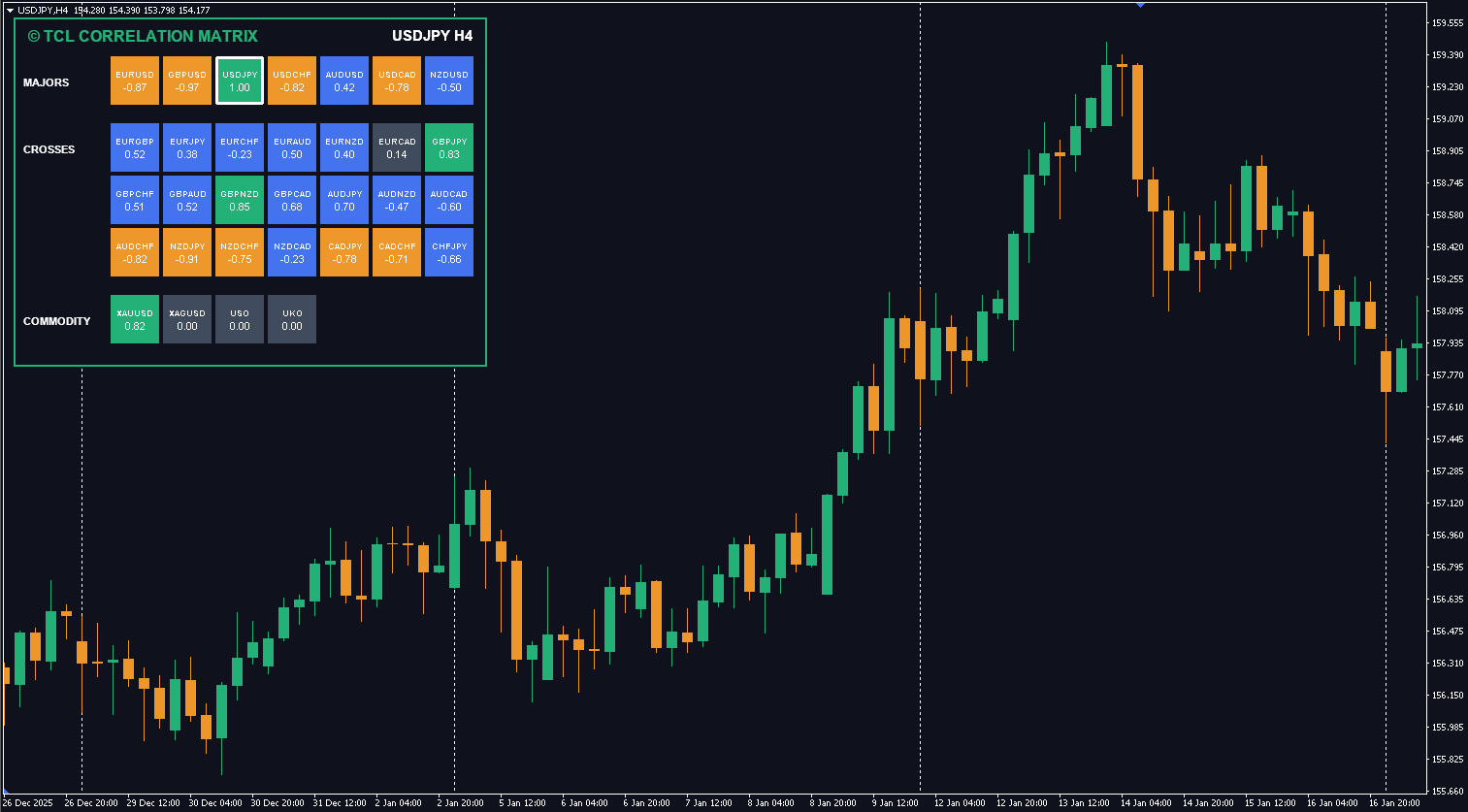
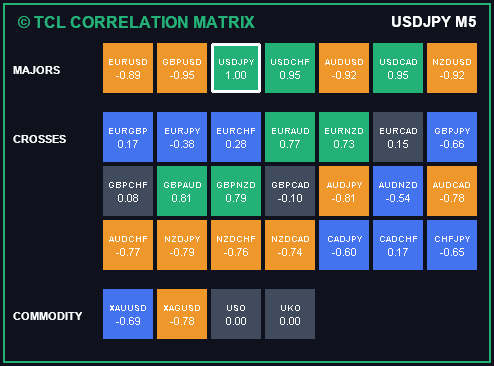
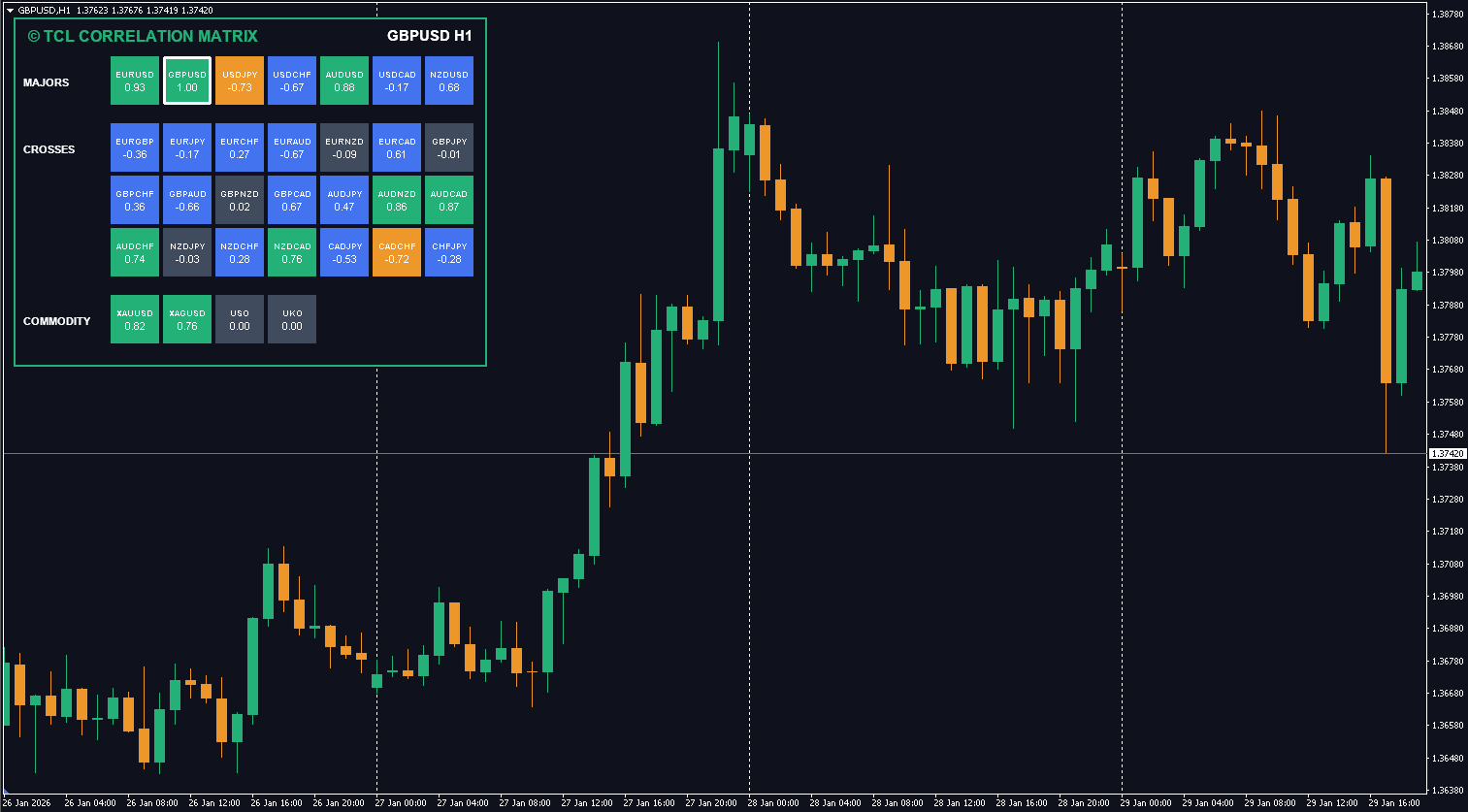
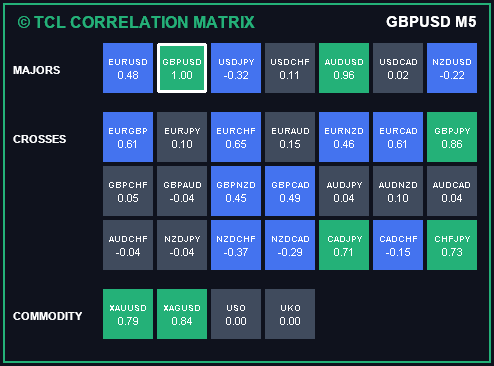
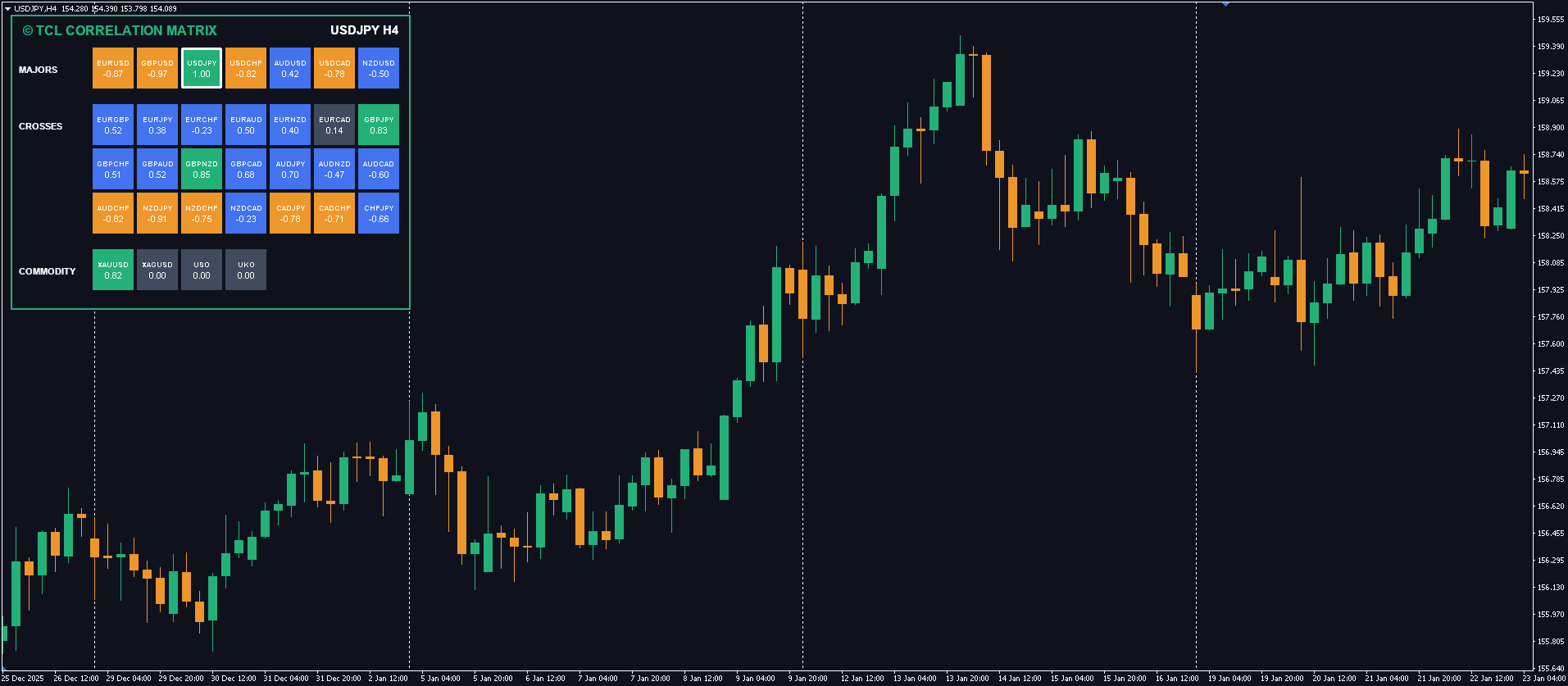
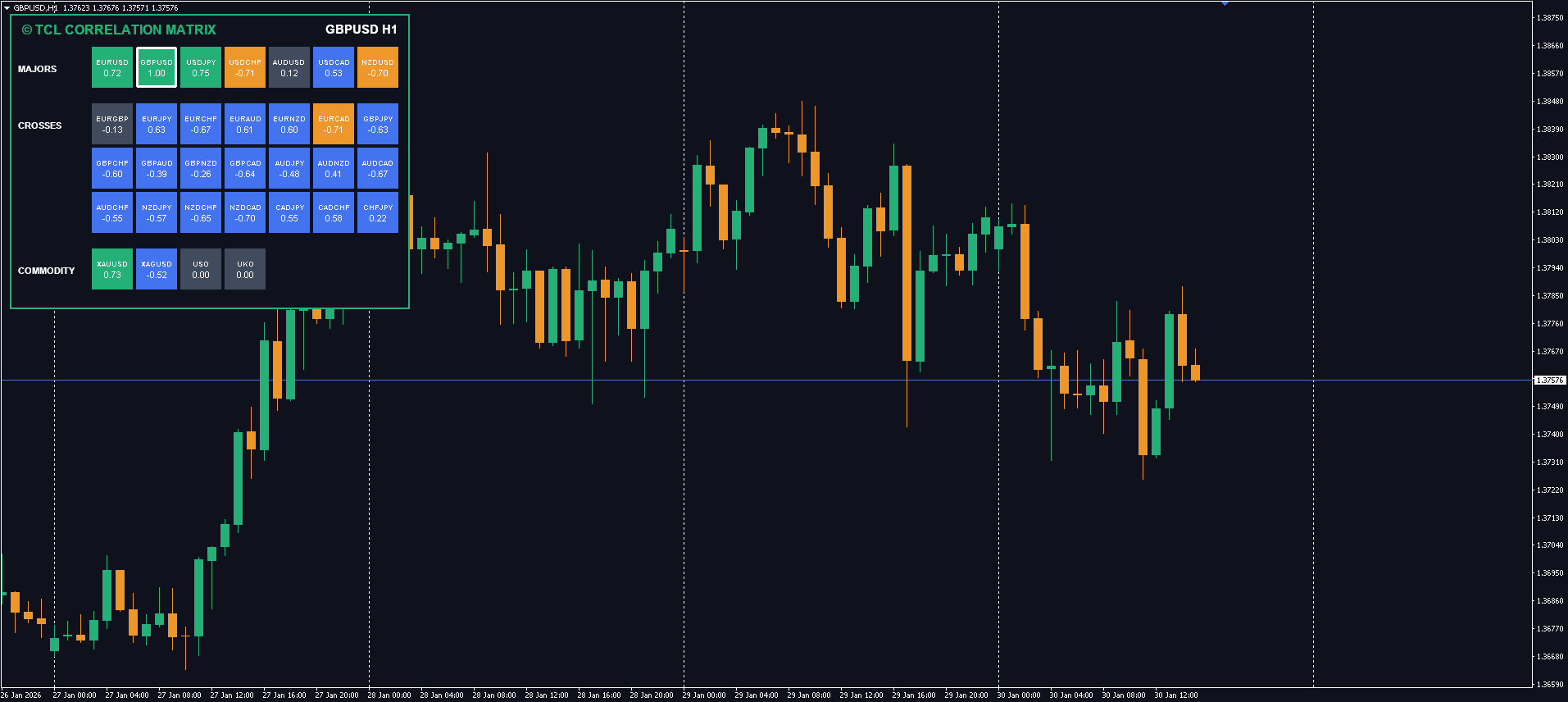
Avoid over-exposure risk by instantly visualizing positive and negative correlations between major Forex, Crypto, and Commodity assets in real-time.
Create a free account to access.
Many traders unknowingly stack risk by trading pairs that move identically. If you buy EURUSD and sell USDCHF, you are effectively doubling your bet on a weak Dollar. The TCL Correlation Matrix makes these invisible relationships visible. It calculates the statistical correlation between the current chart symbol and a basket of other assets over a customizable lookback period.
The matrix displays a coefficient value for each symbol, ranging from -1.00 to +1.00:
Unlike simple Forex scanners, this tool is built for the modern multi-asset trader. It supports 6 distinct blocks of assets: Majors, Crosses, Exotics, Commodities (Gold/Oil), Crypto (BTC/ETH), and a Custom “Others” block. You can toggle each block on or off to keep your dashboard clean and focused on the markets you actually trade.
Strategy 1: Avoid Doubling Risk
Before opening a new trade, check the correlation matrix. If your new pair is strongly correlated (> 0.70) with an open position in the same direction, you’re effectively doubling your exposure. Example: Going long EUR/USD and long GBP/USD simultaneously — these pairs often correlate at 0.80+.
Strategy 2: Find Hedging Opportunities
Look for pairs with strong negative correlation (< -0.70). If you’re long EUR/USD and want partial protection, consider a smaller long position on USD/CHF, these pairs typically show strong inverse correlation.
Strategy 3: Diversify Your Portfolio
For genuine diversification, trade pairs with weak or no correlation (-0.15 to +0.15). This means your trades move independently a loss on one doesn’t guarantee a loss on the other.
Strategy 4: Cross-Asset Analysis
Use the Commodities and Crypto blocks to spot inter-market relationships. Gold/USD, Oil/CAD, and BTC/Risk-on pairs often show meaningful correlations that give you an edge if you track them.
Related Tools
Vote for the next update.
Everything you need to know about the product.
This happens if the symbol name in the list does not match your broker's symbol exactly (e.g., "EURUSD" vs "EURUSD.pro"). Check your Market Watch and update the symbol list in the settings.
Yes. The default is 50 bars. Increasing it (e.g., to 100 or 200) will give you a smoother, longer-term correlation view. Decreasing it (e.g., to 20) shows short-term relationships.
Yes. The indicator uses the current chart's timeframe for calculation. If you switch from H1 to D1, the correlation values will update to reflect the daily relationship.
Enable the "Custom Pairs" block (Show_Others = true) and add your index symbols (e.g., "US30,SPX500,GER30") to the "Def_Others" input field.
Forex correlation measures how two currency pairs move in relation to each other. A correlation of +1.00 means they move identically; -1.00 means they move in exact opposite directions. It matters because trading correlated pairs in the same direction multiplies your risk without you realizing it.
Yes — the TCL Correlation Matrix is completely free. Create a free account, download the .ex4 file, and install it on MetaTrader 4. No trial limitations, no premium unlock required.
Reference for Expert Advisor development.
No reviews yet. Be the first to rate this tool!
Write a Review